
Why WhatsApp Business API needs CRM context
WhatsApp Business API is powerful, but it is not a complete operating system by itself. It can send and receive messages, but a photography team still needs lead stages, client history, reminders, payment status, and ownership.
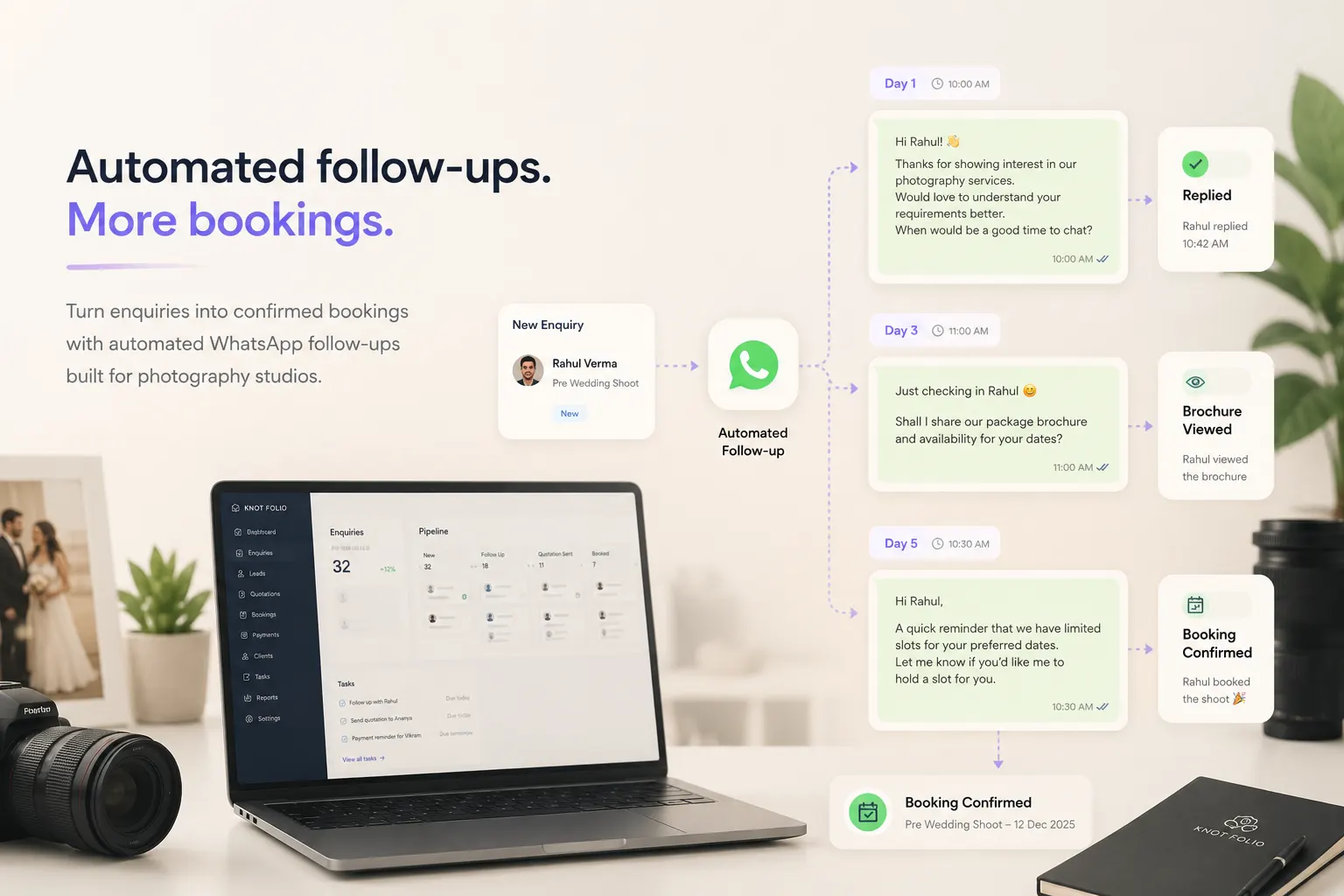
When the API is connected to a CRM, each conversation becomes part of a larger client record. The team can see whether a brochure was shared, whether a quote is pending, and whether the next touchpoint should be automated or handled by a person.
That context is what keeps automation from feeling random. The right message goes out because the system understands where the client is in the booking journey.
The clean setup sequence for photography teams
A good WhatsApp API rollout starts with the real sales process. Map the path from first inquiry to booking, then identify the messages that are repeated often enough to deserve templates.
After that, define opt-in points, template categories, escalation rules, and reporting needs. This helps the team avoid building automation that looks impressive but does not solve the daily bottleneck.
Most studios should launch with a focused set of flows first and expand once the team trusts the system.
- Confirm business verification and WhatsApp number readiness.
- Create approved templates for inquiry replies, consult reminders, and payment updates.
- Connect templates to CRM stages instead of sending them manually.
- Define when a teammate should take over from automation.
Templates and handoffs decide the client experience
The strongest WhatsApp templates sound like the studio, not like a software system. They are short, useful, and tied to a clear next step. A reminder should feel like care, not pressure.
Handoffs are equally important. If a client asks about custom coverage, date conflicts, or budget nuance, the CRM should make it obvious that a human reply is needed.
The best WhatsApp API setup protects both speed and warmth. Automation handles repeatable timing while people handle judgment.
How Knot Folio connects WhatsApp API to the booking workflow
Knot Folio turns WhatsApp Business API into something more useful by linking it to lead stages, reminders, and client records.
That way, the messages feel contextual instead of broadcast-like, and the team can see when a human needs to step in.