
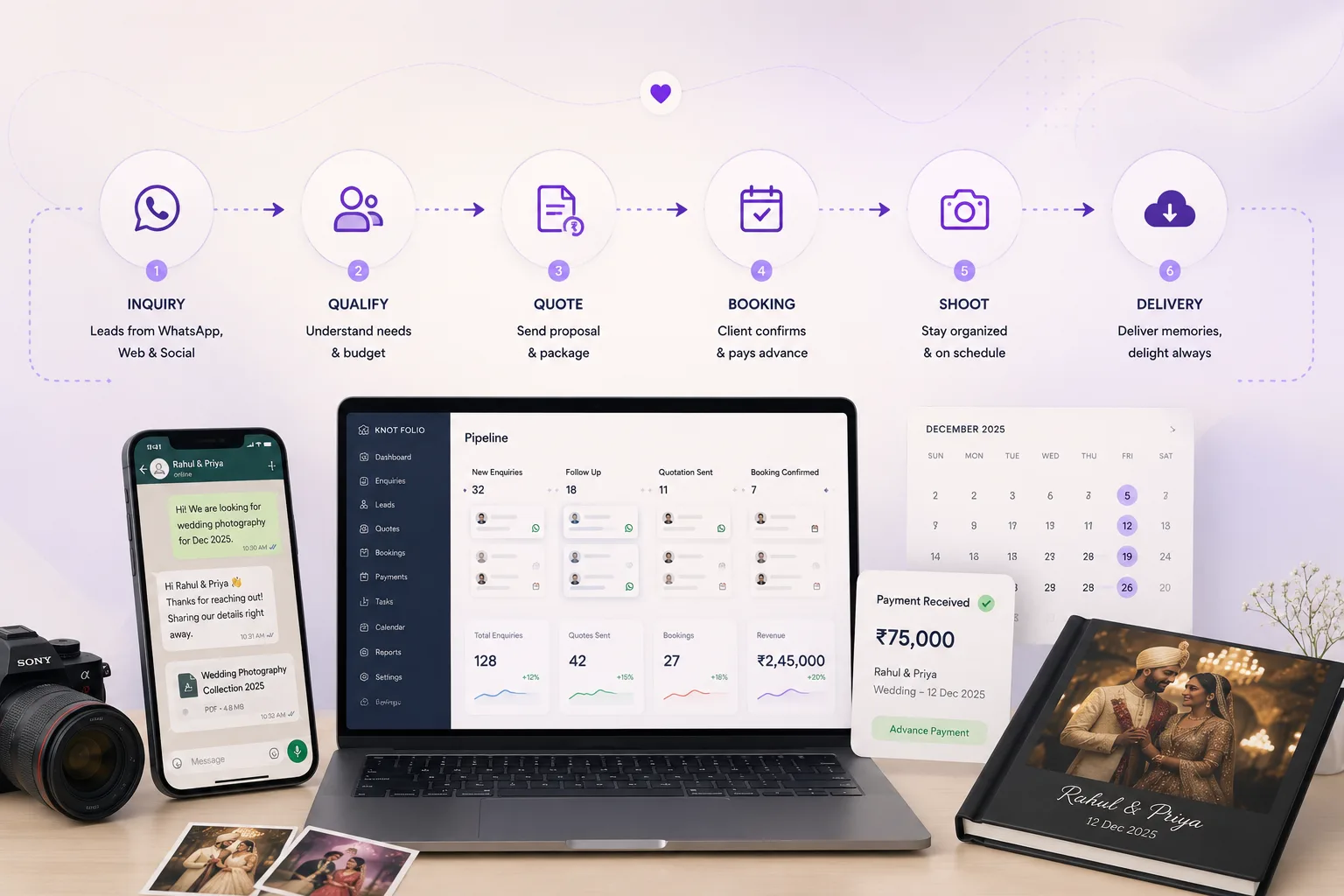
Workflows create reliability when the team gets busy
Studios rarely fail because they lack intent. They fail because the same important step has to be remembered manually twenty different times in a week. A workflow turns that repeatable moment into something the team can see, trust, and improve.
That matters most during busy periods, when inquiries, shoot planning, editing, and payment collection are all pulling attention at the same time. Systems reduce the penalty of context-switching.
A good CRM workflow is simple enough to use every day and strong enough to keep quality steady even when the team is stretched.
The core workflows worth standardizing first
Not every process needs to be deeply automated on day one. Start with the workflows that directly affect response quality, booking speed, and cash visibility. These are the places where operational inconsistency costs the most.
For most photography studios, the first list is predictable: new inquiry capture, consultation scheduling, quote follow-through, deposit collection, balance reminders, and post-shoot status updates.
Once these are stable, the team usually feels immediate relief because fewer tasks depend on someone remembering them at exactly the right moment.
- New inquiry capture and first response
- Consultation scheduling and reminders
- Proposal or quote follow-through
- Deposit collection and balance reminders
- Post-shoot updates and delivery checkpoints
Create handoffs without losing context
As studios grow, responsibilities split across sales, coordination, shooting, editing, and delivery. Without a workflow, each handoff risks losing nuance: what the client asked for, what was promised, what is pending, and what matters most.
A good CRM workflow keeps that context attached to the lead or client record so the next person can step in confidently. Handoffs stop feeling like a fresh restart and start feeling like a clean continuation.
That reduces duplicate questions, awkward delays, and internal dependency on one person who knows the whole story.
Do not stop the workflow at the booking stage
Many teams design workflows for lead management and then go informal once the project is confirmed. That creates avoidable friction around payments, final details, editing status, gallery delivery, and album approvals.
Keeping delivery and payment workflows visible protects the client experience and makes the business easier to manage. It also helps the team close loops instead of carrying a pile of half-finished obligations into the next week.
If the CRM stops being useful after the booking is signed, it is leaving too much value on the table.
Treat workflows as living systems
The best workflows are reviewed and refined. If a reminder feels mistimed or a stage is too broad, adjust it. If the team still has to jump between tools, tighten the loop. If one kind of project needs a different cadence, document that variation clearly.
A workflow becomes powerful when the studio trusts it enough to shape its habits around it. That trust comes from repeated use, visible wins, and steady improvement.
The more your operations reflect real studio behavior, the less the CRM feels like software and the more it feels like infrastructure.
How Knot Folio standardizes the workflows that matter most
Knot Folio is built to standardize the repeatable parts of a studio: inquiry capture, consultation booking, quotation follow-up, payment reminders, and delivery checkpoints.
By keeping those workflows inside one system, the studio gets more consistency without having to force every team member to remember every step manually.