
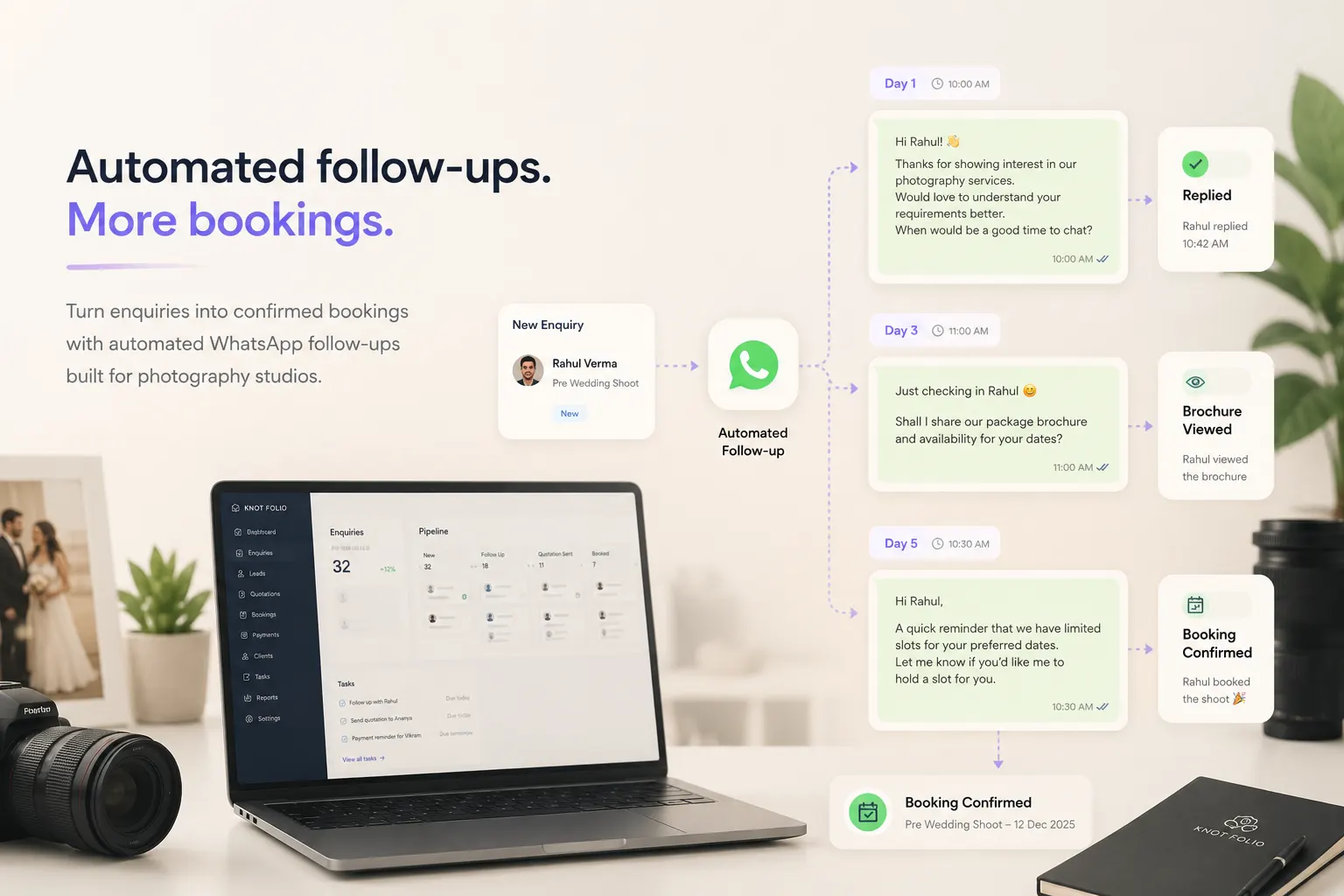
Automation is about removing drag, not replacing service
The best photography businesses are remembered for how they make clients feel. Automation should protect that feeling by removing admin drag, not by flattening every conversation into the same script.
That means using systems for repeatable moments while leaving room for judgment, warmth, and flexibility around emotional or high-value decisions. Clients still want to feel that a real team is paying attention.
If an automation saves time but weakens trust, it is not a good automation. The metric is not how much the machine can send. The metric is how much smoother the client and team experience becomes.
Start with the highest-friction tasks
If you automate too much too soon, the workflow becomes hard to trust. A better approach is to begin with the tasks your team repeats every week and the reminders most likely to be forgotten.
That usually includes new inquiry acknowledgments, brochure delivery, consultation confirmations, payment due reminders, and requests for missing information before a shoot.
Once those are reliable, you can gradually add more sophisticated logic. Early wins build confidence, and confidence is what makes adoption stick.
- Inquiry acknowledgment
- Brochure delivery
- Consultation scheduling
- Payment due reminders
- Post-shoot information requests
Connect automation to the full client record
A disconnected automation tool can send messages, but it often has no idea where the lead stands, which files were already shared, or whether the invoice was paid an hour earlier. That is where automation starts to feel risky.
CRM-led automation is more dependable because it has context. It can trigger the right message based on stage, payment status, consultation timing, or missing client details. That makes the output more relevant and reduces accidental duplication.
The less your team has to manually sync between systems, the more confident it becomes that the workflow is doing what it should.
What to avoid when automating a photography business
Avoid sequences that feel aggressive, generic, or too frequent. Avoid building automations without a clear owner. Avoid naming conventions or trigger logic so messy that nobody knows why a message was sent.
Another common mistake is over-optimizing for speed while under-optimizing for visibility. If the workflow is technically firing but the team cannot see what happened or intervene quickly, the system becomes harder to trust.
The strongest automation setup is the one your studio can understand, audit, and improve over time. Simplicity is often a strategic advantage.
Review what the system is doing every month
Automation should not be set once and forgotten. Team language changes, client objections change, seasonal timing changes, and bottlenecks move. A workflow that felt perfect six months ago may now be missing the real pressure points.
A monthly review of message timing, stage logic, and manual overrides helps keep the system useful. Look for stalled leads, awkward reminders, duplicate triggers, or places where people are still leaving the CRM to get work done.
That rhythm of review is what turns automation from a one-time setup into a durable operating advantage.
How Knot Folio automates without making the studio feel robotic
Knot Folio uses automation to remove repetitive admin while keeping the client relationship visible and human.
That means reminders, follow-ups, and payment nudges can be triggered from real workflow stages instead of floating around as disconnected messages.