
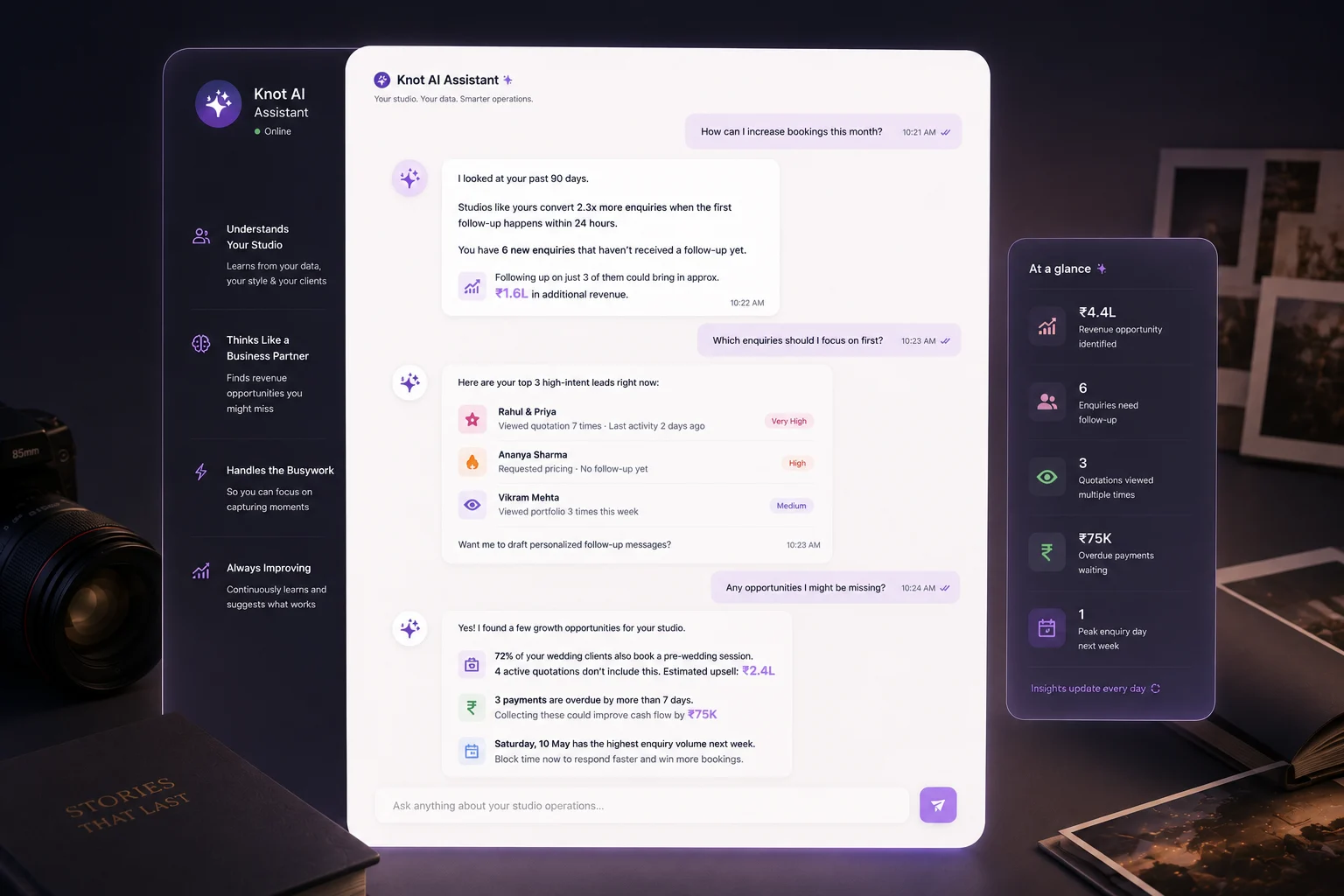
AI is most useful where the business gets repetitive
Business-side admin can quietly consume creative energy. There are always leads to qualify, notes to summarize, follow-ups to remember, dates to coordinate, and payment statuses to check. None of that is glamorous, but all of it shapes revenue and client experience.
This is where AI helps most. It can surface what is urgent, summarize messy context into a clean snapshot, and reduce the amount of mental switching required to understand the pipeline.
The result is not that people stop doing the work. The result is that they start the work with better context and better priorities.
Practical AI use cases for photographers
The best AI tools solve narrow, useful problems instead of trying to run the entire business in one leap. Start by looking for tasks where the team repeatedly reads, interprets, and rewrites the same information.
That may include turning long inquiry threads into quick summaries, drafting first replies, spotting stale leads, or highlighting payment checkpoints that need attention today.
These are high-value because they remove coordination friction without taking ownership away from the humans who still make the final call.
- Drafting first replies to new inquiries
- Summarizing lead intent and next actions
- Highlighting overdue follow-ups
- Flagging pending invoices or coordination gaps
- Recommending workflow priorities for the day
AI should support judgment, not replace it
Clients still book people, not systems. AI is strongest when it gives your team a better starting point, clearer context, and faster visibility into what matters. It should not become an excuse to remove care from important conversations.
That means humans still need to review sensitive replies, make pricing decisions, handle emotional reassurance, and decide how to manage unusual project constraints.
Used this way, AI becomes an operations multiplier rather than a risky autopilot. It helps the team move faster without becoming careless.
Choose AI tools that can see real workflow context
Context is what separates helpful AI from novelty AI. If the model can see lead stages, booking notes, message history, files, and payment status, then its suggestions become much more relevant. If it cannot, the outputs stay generic.
That is why AI inside the CRM is often more useful than AI sitting outside the operational system. The assistant can answer questions about real work rather than guessing from incomplete prompts.
The most practical AI tools for photographers feel embedded in the daily workflow instead of living as a separate experiment.
Roll AI out like an operations tool, not a trend project
Start with one or two repeatable workflows, such as inquiry summaries or follow-up detection, and measure whether they save time or reduce missed actions. Do not ask the team to trust a broad AI system before it has earned confidence in smaller moments.
You also need clear boundaries. Decide which actions the assistant can recommend, which it can draft, and which always require a human decision. That keeps the rollout safe and easier to understand.
When introduced gradually, AI feels useful. When introduced as a vague promise to transform everything, it usually creates skepticism.
How Knot Folio uses AI with real workflow context
Knot Folio is most useful when AI can see the actual lead stage, note history, and payment context instead of working as a generic chatbot.
That makes the assistant better at summarizing the work, highlighting next steps, and helping the studio focus on what needs attention first.